
Bring your clients across
Pull client information from Jobber into ArbHub.
- Use the imported client in your ArbHub records.
- Keep the assessment connected to the relevant client.
ArbHub + Jobber
Keep managing your work in Jobber. Pull clients and jobs into ArbHub, then start a site-specific risk assessment with the client and site details already filled in.
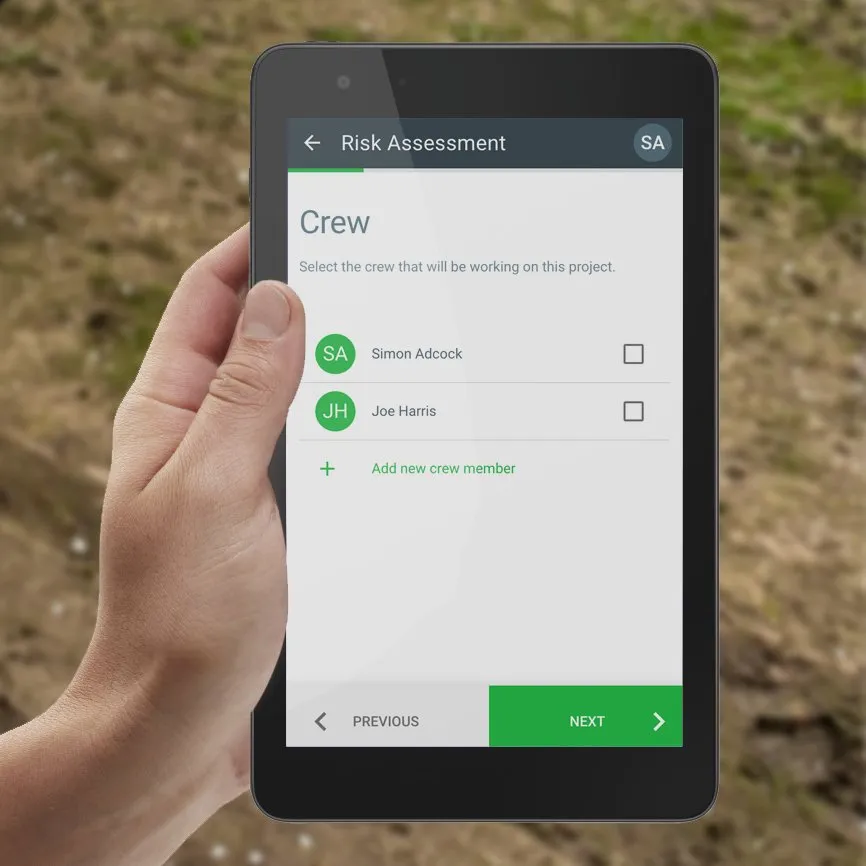
From job details to site paperwork
The connection brings the information from Jobber into ArbHub, ready for the crew to complete the assessment for the actual work and site.

Clients & jobs

Job, client & site details
Site-specific risk assessment
Your existing workflow, connected
Bring the job information across, then use ArbHub for the hazards, controls and crew sign-off that belong to the work.
Pull client information from Jobber into ArbHub.
Bring recent jobs into ArbHub so the crew can start from the right job.
Record the site-specific information and get the crew signed on.
Continue using Jobber for your existing job-management workflow.
We can show you the complete workflow using a typical job on your free demo.
Connect your Jobber account to ArbHub.
Pull clients and recent jobs into ArbHub.
Open the job with client and site details already filled in.
Record the site-specific assessment and collect crew signatures.
Explore the assessment workflow, crew sign-off, offline working and how completed records get back to the office.
Explore site-specific risk assessmentsArbHub pulls in clients and recent jobs. Start a risk assessment from the job with client and site details already filled in.
The integration brings across the job details. Your crew still completes the site-specific assessment, including relevant work activities, hazards, controls and signatures.
Yes. Continue your existing Jobber workflow and use ArbHub for your site assessments and safety records.
Yes. Book a free demo and we’ll show you how clients and jobs come into ArbHub and how to start an assessment.
Book a free 30-minute demo with Sam or Simon. We’ll show you how clients and jobs come into ArbHub and how quickly you can start the site assessment.
Free 30-minute video call.No sales team. No hard sell.